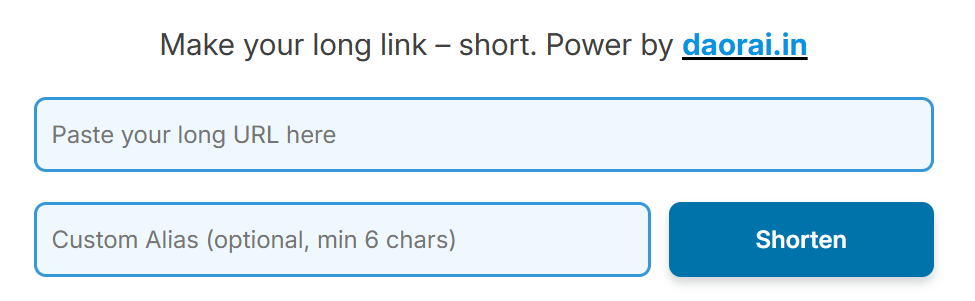
Short Link Maker by Daorai.in is a powerful and easy-to-use tool that helps user to shorten long URLs into clean, shareable links. Whether you’re sharing links on social media, in emails, or on your website, this tool makes your URLs look professional and easy to remember.
With our URL shortener, you can also create custom aliases – meaning instead of random characters, you can brand your short link with a name of your choice. This is ideal for marketers, businesses, content creators, and anyone who wants more control over how their links appear.
Key Features:
- Shorten any long URL instantly
- Add a custom alias to personalize your link
- Generate SEO-friendly and easy-to-share short links
- Free to use, no login required
- Boost link trust and click-through rates
Start using Daorai.in Short Link Maker today to make your URLs shorter, cleaner, and more professional in just seconds. Try it now at daorai.in
How to make Short url via daorai.in
Visit: https://daorai.in/short-link-maker/, paste your long link, enter your custom alias (optional), then click on “Shorten” button.
Step 1. When you visit the link https://daorai.in/short-link-maker/, the following form will appear in your screen.
- Paste your Long link.
- Enter Your Custom Alias (Optional), min chars is 6, Max 6+.
- Without custom alias also, it will work normally.
- Click on “Shorten” Button.
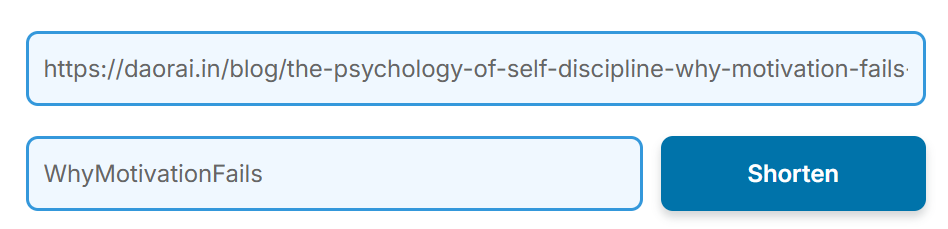
Step 2. Let us look an example.
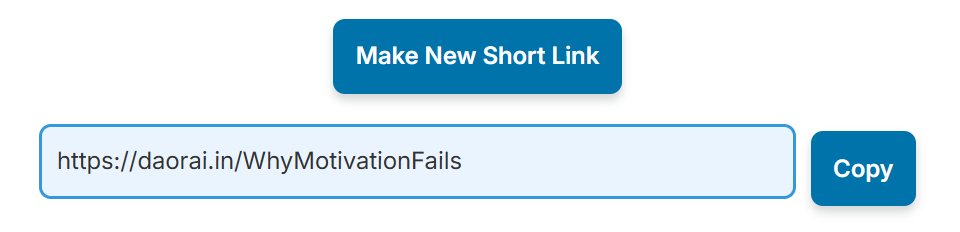
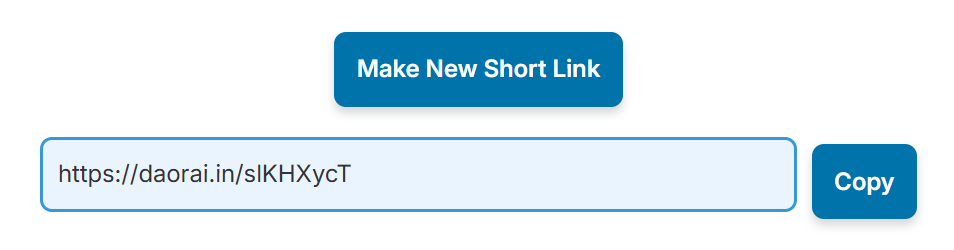
Step 3. This is how your result will appear.
- Long link + Custom Alias
- Long link + Without Custom Alias
What are you waiting for, take this opportunities, convert your long link into short url and clear, without paying any cost. Thank you.
What you should know?
1. What is Daorai.in Short Link Maker?
Answer: Daorai.in Short Link Maker is a free online tool that helps you turn long URLs into short, neat and clear links. These short links are easier to share and look better when used on social media, emails, or websites.
2. Is it free to use?
Answer: Yes, this tool is completely free. You don’t need to create an account or pay anything to use it. Just go to the website and start shortening links.
3. How do I create a short link using Daorai.in?
Answer: To create a short link, go to daorai.in/short-link-maker, paste your long link in the box, enter a custom alias if you want, and click the “Shorten” button. Your short link will appear right away.
4. What is a custom alias, and why should I use one?
Answer: A custom alias lets you choose the last part of your short link. For example, instead of a random code, you can use something like “summer-sale” to make your link easy to remember and more professional. It must be at least 6 characters long.
5. Can I shorten a link without a custom alias?
Answer: Yes, you can. If you don’t enter a custom alias, the website will automatically create a short link with a random code. This works just as well, and it’s faster if you don’t need a specific name.
6. Are the short links SEO-friendly?
Answer: Yes, the short links are clean and SEO-friendly, which means they are good for sharing and can help with visibility online. They also help people trust your links more, which can increase clicks.
7. How long do the short links stay active?
Answer: There is no exact time mentioned, but normally the links stay active as long as the website is working. You can use the links for as long as you need them, unless the site is taken down.
8. Can I delete or change my short link after it’s made?
Answer: No, you can’t delete or edit a short link once it’s created. Since the tool doesn’t require an account, there’s no way to manage your links later. Make sure everything is correct before you click “Shorten”. However, you can drop message to admin from contact-us page in order to delate or remove your generated short links with us.
9. Is it safe to use Daorai.in Short Link Maker?
Answer: Yes, it is safe to use. The site doesn’t ask for any personal information and doesn’t store your data. You just paste your link, shorten it, and use the result.
10. Who should use this tool?
Answer: Anyone who shares links can use this tool. It’s great for students, teachers, marketers, content creators, businesses, and anyone who wants to share clean and simple links online.
